


Same-key container security devices for fleets make sense when a defined group of authorized people must secure several containers and the convenience of one key outweighs the risk of a shared key being lost or misused.
Shop container security devices
That is the core procurement decision: simplify access for a controlled team, or keep access divided by container, location, or role. Using same-key groups is not automatically the right fleet standard. Start with who needs access, how often the containers move, and what a lost key would expose. Then match the security device and key plan to the operation.
When do same-key container security devices make sense for a fleet?
Choose same-key devices when the same authorized team routinely opens multiple containers, access needs to remain simple across shifts or sites, and managers can control the shared keys. This arrangement reduces the number of different keys a team handles, but it also makes each key more important to protect.
Same-key means a set of devices opens with the same key. For a fleet, that can reduce delays when staff move between containers or cover another employee's route. A supervisor does not need to issue a different key for every container in the assigned group. The gain is operational simplicity, not a stronger device or a substitute for key control.
It works best when the fleet can define the set precisely. For example, a company might group containers that serve one yard or one operating team, rather than making every key open every container everywhere. The smaller the group, the easier it is to understand who should hold a key and what to do when someone leaves the team.
Picture a maintenance crew that visits four supply containers at one site during a shift. If the same authorized technicians need each container, one key for that defined group may make handoffs easier. Compare that routine with a carrier whose containers serve separate customers or jobs. The crews may overlap only occasionally, and each customer could have a distinct access boundary. A single shared key would remove a useful distinction without solving a regular workflow problem.
By contrast, separate keys may better suit containers holding different goods, serving different customers, or operating under separate access rules. A broad shared-key arrangement can undermine those boundaries. Decide what each key should open before choosing a product or ordering multiple devices.
How should you map access before placing an order?
Map each container to an owner, a location, and an authorized user group before selecting same-key devices. This simple access map reveals where shared keys save time and where they create unnecessary exposure. It also gives procurement a clear basis for choosing the size of each same-key group.
Start with a container inventory. Give every unit a durable identifier and note where it is normally parked, what task it supports, and who is responsible for it. Then record who needs routine access and who needs occasional or emergency access. Do not assume that all employees, drivers, or contractors need the same permissions.
- List the containers. Record the fleet or yard identifier and the door or locking arrangement. Confirm that a candidate device fits the actual hardware before ordering.
- Identify users. Separate routine operators from supervisors, maintenance personnel, and outside contractors. Include only people who need access to do their work.
- Group by real workflow. Consider whether staff regularly move among units, whether containers remain at one site, and whether teams operate independently.
- Mark exceptions. Flag units with different cargo sensitivity, customer obligations, locations, or access schedules. These may need a separate key group or individual keys.
- Assign a key custodian. Decide who issues keys, records returns, and responds to a missing key before the devices arrive.
A useful map captures more than a list of device serial numbers or container labels. Add the operational reason for each group, such as "north yard operations" or "maintenance-only access," and name the person responsible for approving changes. That brief explanation helps a future manager understand why two containers share a key and why a third does not. Without it, later purchases can expand a group by convenience instead of by an intentional decision.
Test the map against a normal workday. Follow one operator from shift start through each container opening, key handoff, and end-of-shift return. Note moments when the worker needs a key that is held by another person or when two separate keys cause needless backtracking. Then run the same exercise for a supervisor or emergency responder. This process distinguishes a genuine access bottleneck from an occasional inconvenience that does not justify broader shared access.
A map also prevents an easy procurement mistake: ordering a common keying arrangement before confirming how the fleet actually works. If the company has multiple yards or business units, make the boundary visible in the inventory rather than relying on employees to remember which containers share access.
For broader container options, review the container and shipping security collection. Fleet buyers focused on logistics can also compare the freight and cargo security collection against the application map.
Should every container in a fleet share the same key?
No. A fleet should share keys only across containers whose users and access rules genuinely overlap. Keep separate key groups when locations, teams, cargo, or customer requirements differ. A fleet-wide key may feel convenient, but it expands the effect of a lost key and weakens practical separation between areas.
Think in access zones, not just in total device count. A regional team might need access across several containers at one depot, while another depot works independently. A shared key within each depot can reduce handoffs without creating a single key for the entire company. The same approach can separate maintenance access from routine operator access when the work does not require the same permissions.
Use distinct groups when a container holds material that should remain under a smaller authorized circle, when customers require separate control, or when a contractor should access only a particular job. These are operational examples, not claims about a specific legal or insurance requirement; check any contract, site rule, or policy that applies to your operation.
Ask what happens if a key disappears. If one key opens two containers, the exposure concerns those two units. If one key opens dozens across several sites, the response could involve a broader investigation and a larger rekeying or replacement decision. A narrower group limits the scope of that event.
Also consider movement over time. A container assigned to one team today may transfer to another yard next month, while its old key group remains in circulation. Decide whether a move changes the container's assigned group, and who must approve that change. Update the inventory and key records at the same time as the physical transfer. Otherwise, the documented boundaries will drift away from actual access.
A practical compromise is a set of small same-key groups, each assigned to a defined location or team. Keep exceptions on separate keys. This provides convenience where the workflow supports it and preserves separation where the consequences of shared access are less acceptable.
Same-key or individually keyed: which setup fits?
Same-key favors speed and fewer keys for a defined user group; individually keyed favors separation between containers. Neither arrangement is universally superior. Compare the access pattern, the number of key holders, and the impact of a lost key before setting a fleet standard.
| Setup | Best fit | Operational benefit | Trade-off to plan for |
|---|---|---|---|
| Same-key within one group | Several containers used by the same team or site | One key works across the designated devices | A misplaced key may affect access to every device in that group |
| Same-key by zone or team | Multiple yards, routes, or operating groups with limited overlap | Reduces key burden while keeping groups distinct | Managers must label and issue each group's keys carefully |
| Individually keyed | Containers with separate users, cargo, or access boundaries | Loss of one key does not grant access to the other devices | Users and key custodians manage more individual keys |
| Mixed arrangement | A fleet with both shared workflows and restricted units | Matches keying to each operational need | Requires a clear inventory and consistent key records |
Use this comparison as a planning tool, not as a substitute for checking device compatibility. Keying choice answers who can open a device; it does not confirm that a particular device fits a container's hardware or provides the needed physical coverage. Confirm both questions before ordering.
To compare the practical burden, count not only the devices but the number of key groups each person must carry. Suppose a driver visits three yards, and each yard has two groups. The driver may need access to only one group at the first yard, both at the second, and none at the third. The right response is not automatically to issue six keys or make all six groups share a key. Ask whether the route, assignment, or key-issue process can be adjusted. If regular cross-yard access is genuinely part of the role, a deliberately bounded key group may fit; if it is rare, a supervisor-managed handoff may preserve separation.
For a mixed fleet, write down the rule used to decide when a container belongs in an existing group. For example, require the same site, user group, and access purpose before adding it. Exceptions should receive a separate review. A clear rule keeps later additions consistent and gives procurement a repeatable test when a new asset arrives.
What should you verify about the device and container?
Confirm the container's hardware arrangement, the device's fit, and the operating conditions before standardizing a fleet. A same-key set only works as intended when each device suits its installation point and the fleet can use it consistently. Verify the product information and instructions for the specific model.
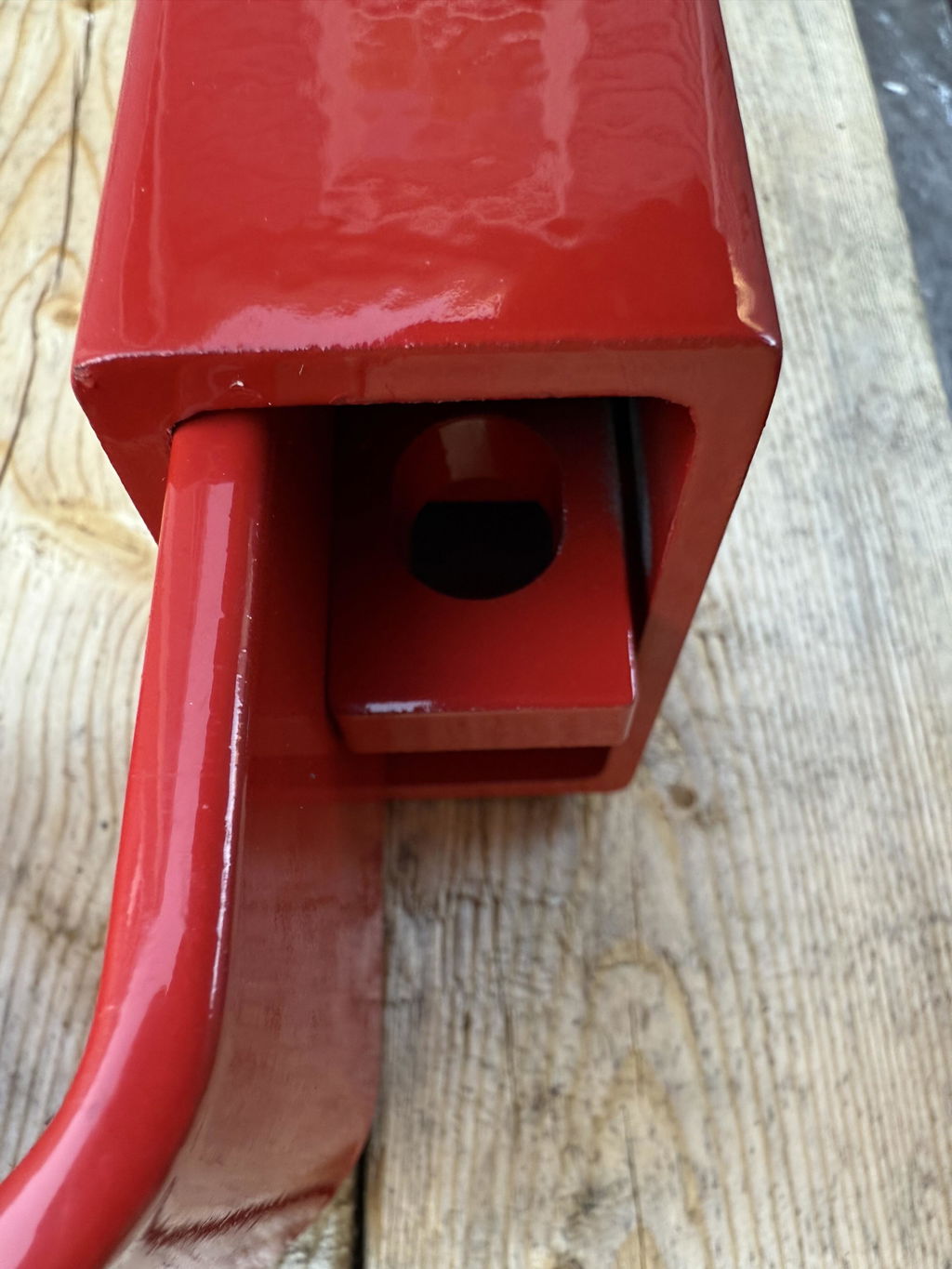
Inspect the hasps, security housing, door bars, and available clearance on the actual container. Containers in one fleet may not all have identical hardware, especially when units come from different sources or have been repaired over time. Measure the space and compare it with the device's stated dimensions and fit requirements. Do not rely on a photo or on a previous order for a different unit.
Record what you inspect. A simple fit sheet can identify the container number, the locking point, the measurements that matter, and any obstruction or unusual hardware. Attach a clear photo for procurement and the person checking the installation. If the fleet contains several door configurations, group the containers by configuration and test one representative from each group. Inspect individual outliers rather than assuming that a representative sample covers a repaired or modified unit.
Next, consider how operators will install and remove the device in daily use. A device that suits the hardware but is awkward to reach can invite shortcuts. Check whether gloves, weather, lighting, and the container's position affect access. Ask the people who will use the device to walk through a normal securing and opening routine.
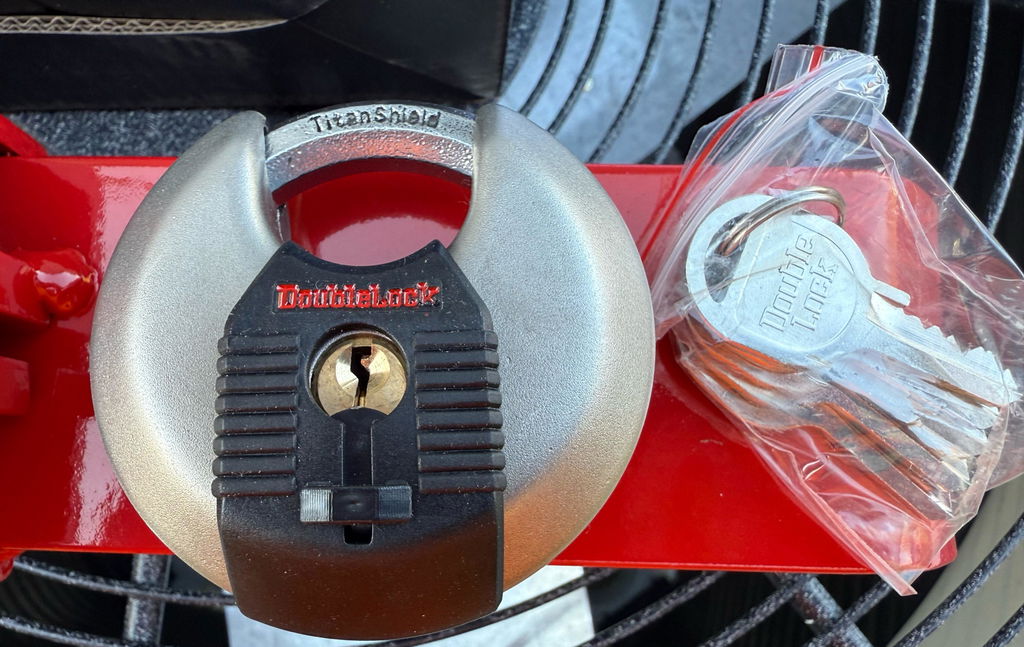
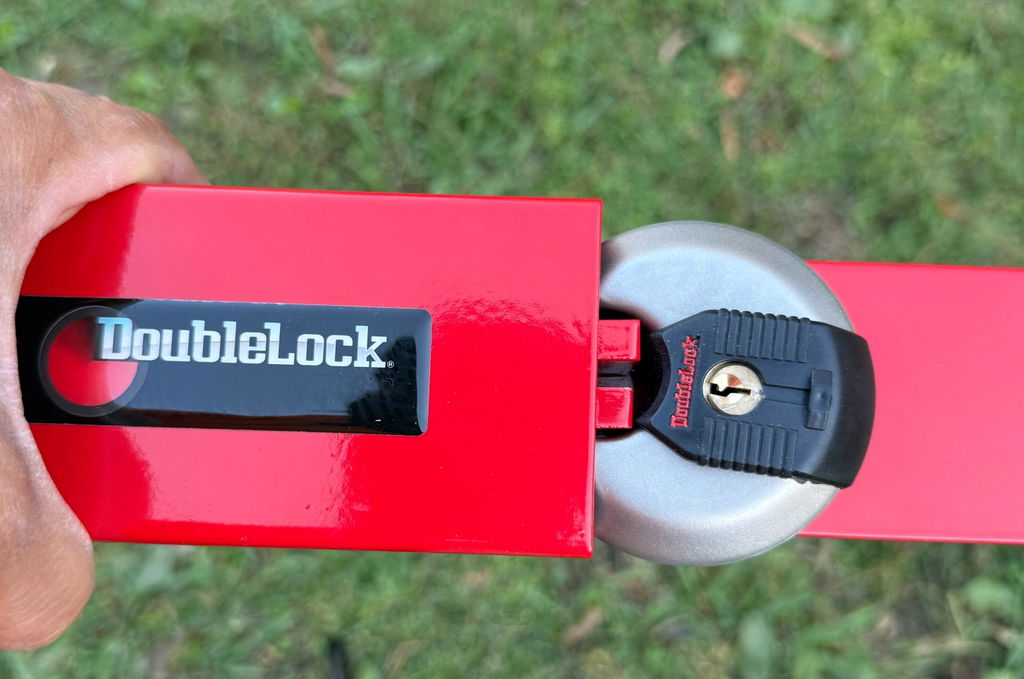
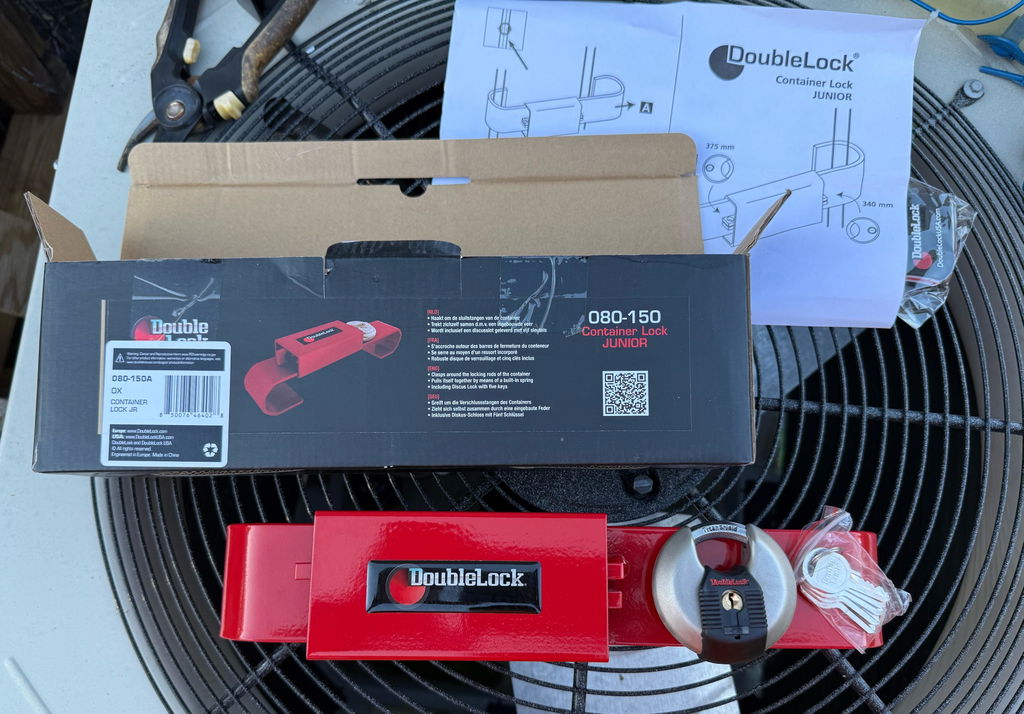
For the device itself, compare construction and application rather than choosing by name alone. DoubleLock offers container products including the BULL same-key container device and the RHINO ultra-duty cargo container device. Review each product's current details and fit information against the fleet's requirements; do not assume every model fits every container.
Also decide what the device must deter. A container stored in a controlled yard presents a different exposure from one left at an active jobsite or during a long stop. Physical security devices are one layer of protection, not an undefeatable barrier. Combine a suitable device with sensible parking, lighting, monitoring, and access procedures where the operation calls for them.
DoubleLock's product information guides and product instructions can help buyers review product-specific details. Use the applicable instructions for installation and handling, and confirm uncertain fit questions before placing a fleet order.
Explore freight and cargo security options
How do you control shared keys after the devices arrive?
Assign every shared key to a named role or person, record each issue and return, and define a response for missing keys. Same-key devices simplify access only when the fleet controls who holds the key. Written rules make that control repeatable across shifts, locations, and staff changes.
Set a key register before deployment. Record the key group's identifier, the devices it opens, the assigned key holders, the issue date, and the return status. Keep the register available to the responsible manager, not posted where unauthorized users can inspect it. If keys move between operators, log handoffs using the fleet's existing process.
Make the register usable during a busy shift. Use the names or asset identifiers already used in fleet records, and avoid confusing labels such as "red key" if several keys look alike. The register should answer three basic questions quickly: who has this key now, which devices does it open, and who must receive it back? For temporary issues, include a return time or shift end. When a key is reassigned, record the change instead of crossing out the old entry in a way that hides its history.
Protect spare keys as carefully as working keys. A spare left in an unlocked office, vehicle, or container can defeat the access separation the fleet planned. Choose a controlled storage point and limit who can retrieve it. When a team member changes role or leaves, collect issued keys and update the record immediately.
Write down the missing-key procedure. At minimum, the person who discovers a loss should report it promptly, identify the key group, and tell the designated manager. The manager can then assess which containers the key opens and take proportionate action. A small, well-documented group makes that assessment clearer than an undocumented fleet-wide arrangement.
When reviewing a reported loss, establish when the key was last confirmed, who had custody, whether it was marked with identifying information, and whether the key may have been lost near an affected container. Then use the map to identify the exact devices within the group and the people who need a temporary access plan. Do not assume that a missing key has been recovered just because a spare is available; the spare solves an access problem, not the exposure created by the lost key.
For general organizational security resources, consult the Cybersecurity and Infrastructure Security Agency (CISA). Use those resources alongside the fleet's own access-control procedures and site-specific requirements.
For larger or repeat purchases, coordinate the keying plan with procurement before ordering. DoubleLock provides a wholesale collection and a request-for-quote page for buyers who need to discuss a commercial order. Share the number of devices, the proposed key groups, and any fit questions in the inquiry so the purchase conversation starts with the actual requirements.
Before submitting an order, have the operations lead and the key custodian review the same group list. Procurement should confirm the total quantities by group, not just the total number of containers. Ask how replacement or additional devices should be ordered later so a new purchase does not accidentally mix groups. Keep the final order record with the access map and approved fit notes.
Request a quote for your fleet's container security requirements
How should a fleet roll out a same-key standard?
Roll out the standard in a controlled pilot before applying it to every unit. Test the selected device on representative containers, confirm that users can operate it correctly, and check that the key-group boundaries work in practice. A short pilot exposes fit and process problems while the purchase remains manageable.
- Select representative units. Include the different door and security-housing configurations found in the fleet, not only the easiest container.
- Test the routine. Have typical users secure and open each unit during normal operating conditions. Confirm the device does not interfere with the container's ordinary use.
- Check key boundaries. Verify that each key opens only the intended group and that the inventory accurately identifies those devices.
- Train key holders. Explain issue, return, storage, and lost-key steps. Keep the instructions concise enough to use on a shift.
- Review after deployment. Ask whether keys reduced handoffs or created confusion, then adjust group boundaries before expanding.
During the pilot, ask users to record specific friction rather than general reactions. A note such as "the night shift needed a second key twice this week" points to a process question. "The system is inconvenient" does not identify whether the issue comes from the group design, key custody, device fit, or training. Review observations at the end of the pilot and revise only the parts that failed the defined workflow.
Document acceptance criteria before the pilot starts. These can be operational checks rather than numerical promises: users can secure and open each test unit with the intended key; the device fits the designated hardware; the register names the current key holders; and the loss procedure identifies a responsible manager. If any check fails, pause expansion and resolve it. This prevents the first large purchase from turning a small setup problem into a fleet-wide process problem.
Keep a record of the approved device model, key-group assignment, container identifiers, and responsible key custodian. When the fleet adds containers, use the same decision process instead of automatically placing every new unit into the largest existing group. This avoids gradual expansion of access that no one deliberately approved.
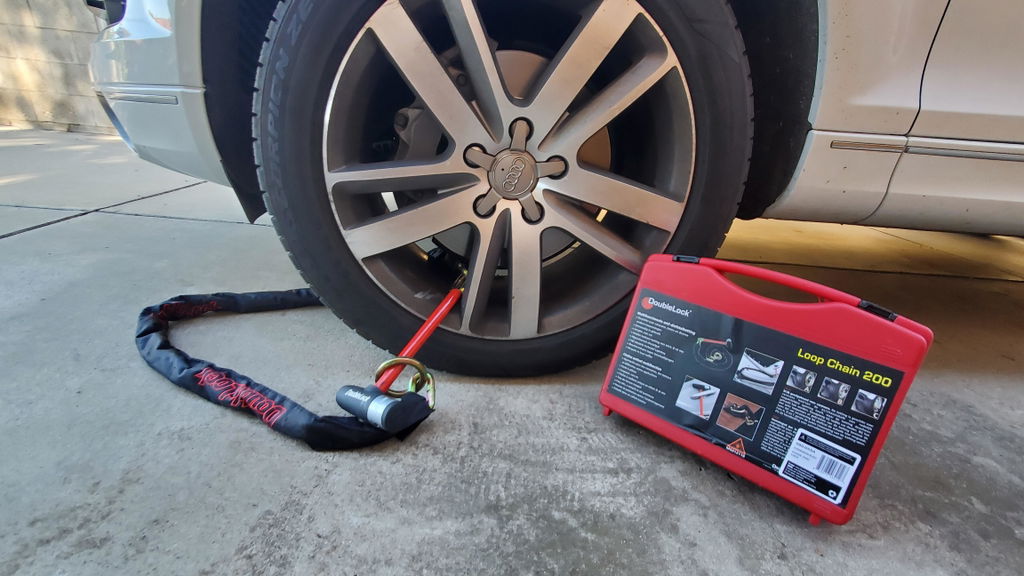
For a mixed fleet, procurement may choose a container security device for one use and a different truck or trailer device for another application. The truck and trailer security collection covers a separate product category; select equipment according to the asset and securing point rather than treating all fleet hardware as interchangeable. For questions about a specific application, contact DoubleLock through its contact page.
Frequently Asked Questions
Does same-key mean one key opens every device in the fleet?
Not necessarily. Same-key describes a group of devices that operate with the same key. A fleet can use separate same-key groups by site, team, or application, and keep other containers on different keys. Define the intended group before ordering.
Is same-key less secure than individually keyed?
The keying arrangement changes how broadly a key grants access; it does not by itself describe the physical strength of a device. Individually keyed devices keep access divided, while same-key devices simplify access within their group. Choose based on the fleet's access boundaries and key-control discipline.
What should a fleet do if a shared key goes missing?
Report the loss to the assigned key custodian, identify the affected key group, and determine which containers that key opens. Follow the fleet's documented response and assess the risk for those units. Keeping groups and key assignments recorded makes that response more precise.
Can one same-key device fit every shipping container?
No. Container hardware and clearances can differ. Check the actual hasp or security-housing arrangement and the selected product's fit details for each relevant unit. Confirm uncertain measurements or compatibility before ordering devices for a full fleet.
Choose keying by access boundary, not by convenience alone
Same-key container security devices for fleets are a practical choice when the same authorized people need access to a defined set of containers and the fleet can manage shared keys responsibly. Use separate groups for different teams or exposure levels, verify fit on the actual hardware, and pilot the process before standardizing it. That gives the fleet a useful balance of access efficiency and deliberate control.